

Sponsored Link
The AptURL protocol handler and a web browser support are required to install packages from Appnr. AptURL is a program that handles special URLs to installing package on APT-based Linux systems. Firefox on Ubuntu 7.10 or higher has AptURL installed by default.
Install the apturl package
Please install the “apturl” package if using APT-based Linux system such as Ubuntu, Debian, Linux Mint, and gOS.
Install from Synaptic Package Manager
Go to Synaptic Package Manager and find “apturl”.
When you have found it check it and click on “Apply Changes”.
Install from Terminal
sudo apt-get install apturl
Enable the AptURL protocol
Please add AptURL protocol support to a web browser.
*** Firefox ***
Type in “about:config” in the location bar.
Right click, select New –> String
Type in “network.protocol-handler.app.apt” in the name of string,and type in “/usr/bin/apturl” in the value.
One more right click, select New –> String
Type in “network.protocol-handler.app.apt+http” in the name of string,and type in “/usr/bin/apturl” in the value.
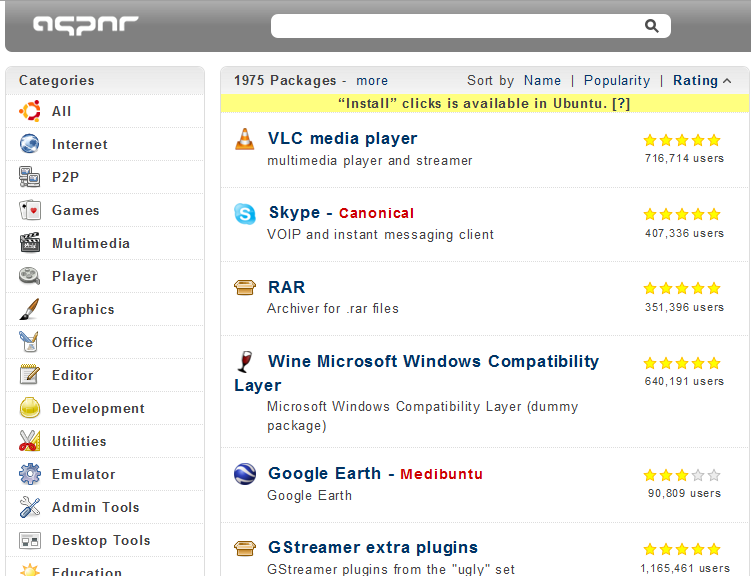
Screenshot
Are there security issues here ? Looks like a way in to me.
http://www.mail-archive.com/[email protected]/msg01641.html discusses security of apturl a bit and makes some interesting points concerning malicious code execution
I’ve done the apt-get, looked for ubufox as well, changed the about:config. Apturl was in kpackageit anyway. I am running Kubuntu 10.4 64 bit
Firefox has no association