

Sponsored Link
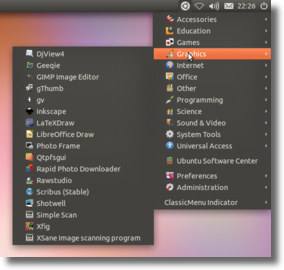
It provides a simple way to get a classic GNOME-style application menu for those who prefer this over the Unity dash menu. Like the classic GNOME menu, it includes Wine games and applications if you have those installed.
Install ClassicMenu Indicator in ubuntu 12.04(Precise)
Open the terminal and run the following commands
sudo apt-add-repository ppa:diesch/testing
sudo apt-get update
sudo apt-get install classicmenu-indicator
Screenshot
Type ‘b-src’ is not known on line 2 in source list /etc/apt/sources.list.d/diesch-testing-precise.list
This error prevents package manager from working.
Thanks.
now how do I fix it?
replace, in that file, “b-src” by “deb”
Many thanks for this! Returning to Ubuntu after a couple of years of Mint (various reasons for both directions) and finding no way to access my familiar tools in this latest release (12.04), I found only frustration after much googling and following directions that (a) I didn’t understand) or (b) didn’t work. Finally your directions *did* work. Back in the saddle again!
do we require to restart machine after installing it
Just logout and login back