

Sponsored Link
What formats are supported?
ISO Master can read .ISO files (ISO9660, Joliet, RockRidge, and El Torito), most .NRG files, and some single-track .MDF files; it can save only as .ISO.
You can use isomaster to:
-- add files to an image
-- extract files from an image
-- delete files from an image
Install iso master in Ubuntu
sudo aptitude install isomaster
This will complete the installation.
Using ISO Master
If you want to open ISO Master Go to Applications -> Sound & Video -> ISO Master

Once it opens you should see similar to the following screen

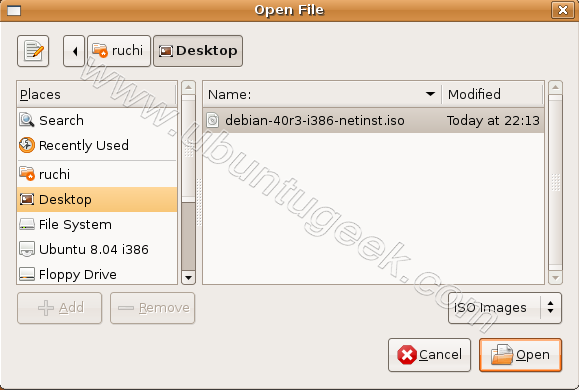
If you want to open .iso file go to File--->Open

Now you need to select .iso file and click on open
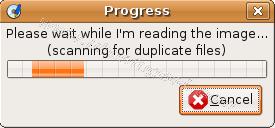
iso image file is reading in progress
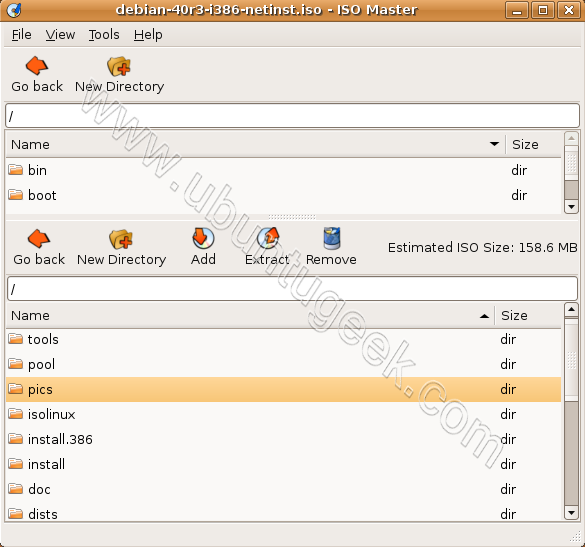
Once iso image opens you should see similar to the following screen here you can add,extract,delete files to your iso image
Installed most promptly. Can’t wait to try it out.Thank you.
“sudo aptitude install isomaster” gives me an error.
“couldn’t find any package whose name or description matched ‘isomaster'”
i am using ubuntu 7.04.
What gives?
@grasshopper
This package is not available in ubuntu 7.04 repositories
bugger
Nice demo. Thanks 🙂
thank you very much.
its very helpful.
thanks yaar…..
it works amazingly
Added a firmwareflash.exe to the iso and it does not show up when I burn and then boot the dos disk.
failed.
This is what I am looking for, will it same in Linux Mint?
I had the same failure of broken. I tried to add an exe file in a bootable dos iso. It seemed ok (the file is inside the iso) but when I burn a cd the new file is not available after the dos boot.
I need instruction how to create customized bootable CD or DVD with Linus OS with Firefox to limits of users access to few websites and edit documents in LibreOffice Writer, etc.
thanks