
Ubuntu Geek

Ubuntu Linux Tips,Howtos&Tutorials|Feisty,Gutsy,Hardy,Intrepid

  • RSS Feed

    subscribe to the ubuntu Geek RSS feed


  • Sponsor

  • Categories

  • Meta

  • Sponsor

  • Archives

  • Support Ubuntugeek

    Amount $:
    Website(Optional):


  • Favourite Sites

LXDE - Lightweight X11 Desktop Environment for Ubuntu

Posted by admin on June 29th, 2008 Email This Post Email This Post

LXDE is a new project aimed to provide a new desktop environment which is lightweight and fast. It’s not designed to be powerful and bloated, but to be usable and slim enough, and keep the resource usage low. Different from other desktop environments, we don’t tightly integrate every component. Instead, we tried to make all components independent, and each of them can be used independently with few dependencies.

LXDE Features

  • Lightweight, runs with reasonable memory usage
  • Fast, rund well even on older machines produced in 1999
  • Good-looking, gtk+ 2 internationalized user interface
  • Easy-to-use, the user interface is simple, but usable enough
  • Desktop independent (suprise! Every component can be used without LXDE)
  • Standard compliant, follows the specs on freedesktop.org
  • Suitable for old machines

Install lxde in Ubuntu

First you need to edit the /etc/apt/sources.list file add the following lines

For Hardy Users

deb http://ppa.launchpad.net/lxde/ubuntu hardy main
deb-src http://ppa.launchpad.net/lxde/ubuntu hardy main

For Gutsy Users

deb http://ppa.launchpad.net/lxde/ubuntu gutsy main
deb-src http://ppa.launchpad.net/lxde/ubuntu gutsy main

Save and exit the file.

update the source list using the following command

sudo aptitude update

Install lxde desktop environment using the following command

sudo aptitude install lxde

This will install all the required packages for lxde.

Now you need to logout from your system go to Options—>Select Session…

Now select LXDE option and click on Change Session

Next screen you can select if you want LXDE desktop environment as default or only for this session

After logging in you can see similar to the following beautiful desktop environment

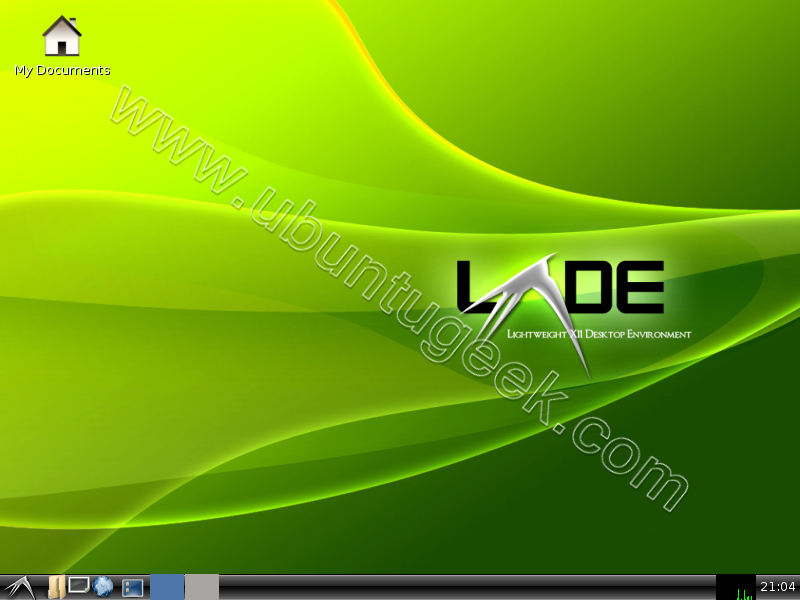
LXDE Logout Screen


Share/Save/Bookmark

If you want to be notified the next time we write something please subscribe to our RSS feed.Thanks for Visiting!

Related Articles

23 Responses to “LXDE - Lightweight X11 Desktop Environment for Ubuntu”

  1. dfb Says:

    Where can I get a fresh install of Linux using LXDE. I have an older machine I’d like to install this on but would rather freshly install than run the bloated default version of Gnome used in Ubuntu.

  2. ugm6hr Says:

    @Dfb:
    LXDE can be installed on an Ubuntu base with ubuntulite: http://ubuntulite.tuxfamily.org/
    PUD Linux is a LiveCD with Ubuntu/LXDE and Chinese enhancements: http://pud-linux.sourceforge.net/index.en.html

  3. ikaruga Says:

    @Dfb@ - if you are using Dfb, then you are not using Gnome, so you will NOT have the bloat problems.

    If it still feels bloated, it’s because the kernel — linux in general — is bloated. You’ll have to custom compile a kernel if you want more speed. Or you use a distro that’s designed to run off a usb stick and old machines (like mydsl and puppy linux) .

  4. mrphoenix Says:

    http://ppa.launchpad.net/lxde/ubuntu/dists/hardy/deb-src/binary-amd64/Packages.gz 404 Not Found

    http://ppa.launchpad.net/lxde/ubuntu/dists/hardy/http://ppa.launchpad.net/lxde/ubuntu/binary-amd64/Packages.gz 404 Not Found

  5. Alex Says:

    What about the most interesting queston for average user - will I be able to use automounting features e. g. simply insert my flash\dvd\whatever and get access to it without need to dive into mount/umount?

  6. SMJN Says:

    From a brilliantcomment on Slahdot:

    “the cycle of lightweight software (Score:5, Insightful)
    by speculatrix (678524) on Monday May 26, @05:10PM (#23548427)

    yet another light-weight desktop. fluxbox, xfce, ratpoison, etc etc. why so many?

    herewith my theory of the cycle of lightweight software.

    * program $Z is bloated and slow, lets write a small, streamlined, lightweight replacement
    * 0.0 - the program runs, does something but not much
    * 0.1 - it’s beginning to be useful
    * 0.2 - it’s not bad, you don’t miss program $Z so much now
    * 0.3 - 0.9 - hey, where’s my fave feature $F, you can’t be seriously missing that out, ok, we’ll add that in
    * release 1.0 - quite good, not too bloated, fairly quick, has its serious fanboys, but most people would rather stick with $Z and buy a faster computer to keep the missing features
    * 1.1 to 2.0 - adding all the features that made $Z great, gaining bloat and bugs, losing speed all the way
    * release 2.0 - a direct replacement for $Z and runs 20% faster
    * release 2.1 - fixing all the bugs discovered now the code base is too big to audit, making it much less secure than the now quite mature $Z
    * Hey, your new program is a bit bloated and slow, I’m going to write a replacement for it and it’s going to be a small, streamlined, lightweight replacemen

    and repeat ad nauseam”

  7. Shakir Says:

    It is unstable yet. The package pcmanfm broken down every time. I had to remove the repository and reinstall the pcmanfm from official repo of ubuntu and then I was able to remove this whole thing.

  8. Dave Taylor Says:

    Good-looking, gtk+ 2 internationalized user interface

    Their’s a contradiction in their.

  9. Lol Says:

    with the direction GNOME is heading (mom and grandpa and great grand fathers)…

  10. Donnie Pennington Says:

    While I liked lxde on a brief trial, beware: after the lxde install in Ubuntu, pcmanfm replaces nautilus as your default file manager in Gnome. Messing around in config files I could bring nautilus back for the current session, but after every reboot pcmanfm came back as the Gnome default. I finally gave up and wiped lxde entirely.

  11. J. M. Says:

    Seems like a futile effort. Fast GUI and a GTK+ GUI is an oxymoron. You either have a fast GUI, or a GTK+ (2.x) GUI. GTK+ is a huge, modern toolkit with well known, chronic and serious performance problems, the experience on 10-year-old computers definitely cannot be good no matter how “lightweight” the DE is. A fast DE for old slow computers cannot be based on the slowest of all modern slow toolkits. Besides, applications like modern web browsers are the main memory hogs, so using a lightweight DE won’t help too much anyway.

  12. pravy Says:

    hi i seen this lxde desktop i like it and i like to install this i follow that instruction u given.when i am trying to edit the file it shows permission denied why it showing like that i am the administrator.can u help me

  13. Eric Says:

    Pravy, you need to edit your source file by running the command: gksu gedit /etc/apt/sources.list from the command line. You’ll be prompted for your password and then can proceed to edit the file. Save it, then run this command from the command line: sudo aptitude update && sudo aptitude install lxde.

  14. Jitto P.Jose Says:

    hello friend,
    the easiest way to install lxde in ubuntu is, first install ubuntu-tweak. in it there is an option to enable third party software. lxde is listed in it. just check it and refresh. after that you can install lxde using synaptic. no need to edit any configuration files.
    thanks.
    jittos….

  15. pravy Says:

    hi can any one help me.how to install this lxde desktop.i dont know about this linux i am new to this.any one tell me the processure, thank u

  16. pravy Says:

    hi eric i got that lxde desktop thanks for ur support..thank u

  17. Jitto P.Jose Says:

    hai parvy
    how do u feel about this new desktop?…

  18. pravy Says:

    hi jose i feel good but i can’t able to change themes bagrounds etc can u help me.i am getting headache with this.i like to learn about this linux and good sites is there

  19. indah_anggre Says:

    thanks for the tips .. btw i can’t install lxde on gutsy (missing deppendencies), but i don’t have any problem using hardy.

  20. Wiilem Says:

    I have just installed LXDE on a brandnew freshly installed gOs Gadgets OS. This desktop is unbelievable fast. Even webbrowser pageloading is much faster than in any other desktop I have tried. I have tried everything under the sun, XFCE, E17, Elive but none of them can touch LXDE.

  21. Docter Says:

    Well, disabling, i.e. by blacklisting, ipv6 will boost every browser up, no matter what desk env is running…

  22. karl Says:

    how do i select session in terminal?

  23. karl Says:

    how can i go to options select session in terminal without GDM login window?

Leave a Reply

XHTML: You can use these tags: <a href="" title=""> <abbr title=""> <acronym title=""> <b> <blockquote cite=""> <cite> <code> <del datetime=""> <em> <i> <q cite=""> <strike> <strong>