

Sponsored Link
Since NetHogs heavily relies on /proc, it currently runs on Linux only.
Install nethogs in ubuntu
Open the terminal and run the following command
sudo apt-get install nethogs
Syntax
nethogs [-d] [-h] [-p] [-t] [-V] [device(s)]
Options
The -d switch delay for refresh rate.
The -h switch display available commands usage.
The -p switch sniff in promiscious mode (not recommended).
The -t switch tracemode.
The -V switch prints Version info.
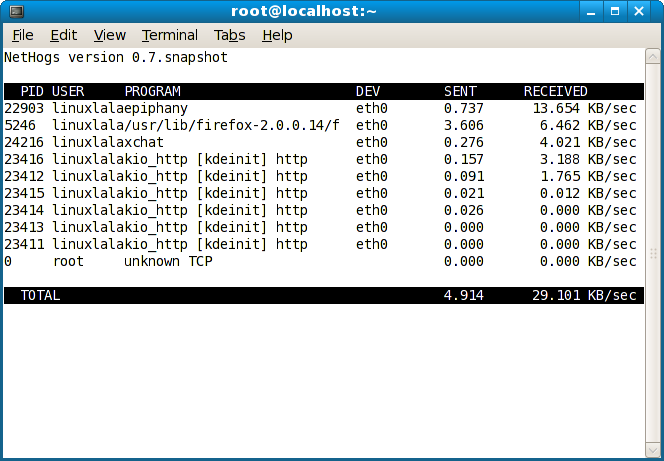
Screenshot
Holy cow! I’ve been looking for this app for last 2 years.
Thank you a lot.
This app is absolute awesomeness. Other bandwidth monitors I have used have reported wrong on upload and I thought I had a leak or was hacked or that something was wrong. With nethogs I now have full control over my network connection and what processes that uses it.
I highly recommend this.
Very useful tool!
Brilliant. Simple and spot on.
Thanks.