

Sponsored Link
Install hardinfo in Ubuntu
sudo apt-get install hardinfo
This will complete the installation
Using Hardinfo
If you want to open hardinfo go to Applications--->System Tools--->Hardinfo

Once it opens you should see similar to the following screen

Summary screen

Operating System Details

Kernel Modules

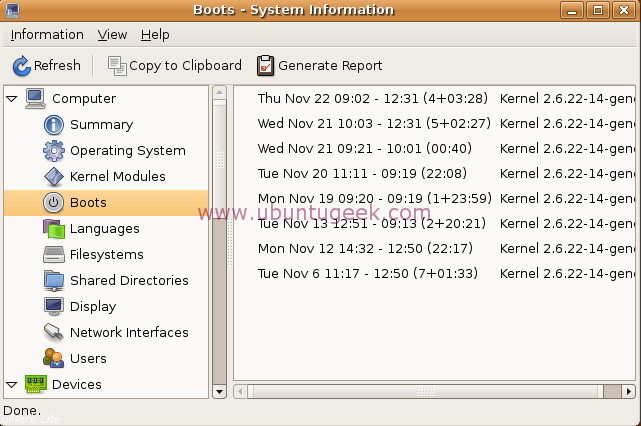
Boot Details
Reports
If you want to generate report click on Generate Report you should see similar to the following screen

Sample report

This is pretty cool. The only problem with it on my machine is that it keeps randomly closing…
Yep. It’s crashing constantly here as well with Segmentation Fault errors.
Generating the hard copy of the report works without error. “Updating” individual report components causes the app to fail.
Get the latest version, 0.4.23 from getdeb.net. Fixes the crashes.
I am running 8.04 and don’t see Applications –> System Tools.
My applications include:
Accessories
Games
Graphics
Internet
Office
Other [only Ubuntu Pocket Guide]
Sound & Video
Did I get a defective version?
Sound & Video
Hardinfo is not showing serial number of system…how to get it?