
A DHCP server can provide configuration settings using two methods
Address Pool
This method entails defining a pool (sometimes also called a range or scope) of IP addresses from which DHCP clients are supplied their configuration properties dynamically and on a fist come first serve basis. When a DHCP client is no longer on the network for a specified period, the configuration is expired and released back to the address pool for use by other DHCP Clients.
MAC Address
This method entails using DHCP to identify the unique hardware address of each network card connected to the network and then continually supplying a constant configuration each time the DHCP client makes a request to the DHCP server using that network device.
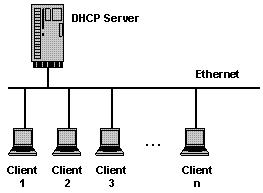
Install DHCP server in ubuntu
sudo apt-get install dhcp3-server
This will complete the installation.
Configuring DHCP server
If you have two network cards in your ubuntu server you need to select which interface you want to use for DHCP server listening.By default it listens to eth0.
You can change this by editing /etc/default/dhcp3-server file
sudo vi /etc/default/dhcp3-server
Find this line
INTERFACES="eth0″
Replace with the following line
INTERFACES="eth1″
Save and exit.This is optional.
Next you need to make a backup copy of /etc/dhcp3/dhcpd.conf file
cp /etc/dhcp3/dhcpd.conf /etc/dhcp3/dhcpd.conf.back
Edit /etc/dhcp3/dhcpd.conf file using the following command
sudo vi /etc/dhcp3/dhcpd.conf
Using address pool method
You need to change the following sections in /etc/dhcp3/dhcpd.conf file
default-lease-time 600;
max-lease-time 7200;option subnet-mask 255.255.255.0;
option broadcast-address 192.168.1.255;
option routers 192.168.1.254;
option domain-name-servers 192.168.1.1, 192.168.1.2;
option domain-name "yourdomainname.com";subnet 192.168.1.0 netmask 255.255.255.0 {
range 192.168.1.10 192.168.1.200;
}
save and exit the file
This will result in the DHCP server giving a client an IP address from the range 192.168.1.10-192.168.1.200 . It will lease an IP address for 600 seconds if the client doesn't ask for a specific time frame. Otherwise the maximum (allowed) lease will be 7200 seconds. The server will also "advise" the client that it should use 255.255.255.0 as its subnet mask, 192.168.1.255 as its broadcast address, 192.168.1.254 as the router/gateway and 192.168.1.1 and 192.168.1.2 as its DNS servers.
Using MAC address method
This method is you can reserver some of the machines or all the machines with fixed ip address.In the following example i am using fixed ip address for server1,server2,printer1 and printer2
default-lease-time 600;
max-lease-time 7200;option subnet-mask 255.255.255.0;
option broadcast-address 192.168.1.255;
option routers 192.168.1.254;
option domain-name-servers 192.168.1.1, 192.168.1.2;
option domain-name "yourdomainname.com";subnet 192.168.1.0 netmask 255.255.255.0 {
range 192.168.1.10 192.168.1.200;
}host server1 {
hardware ethernet 00:1b:63:ef:db:54;
fixed-address 192.168.1.20;
}host server2 {
hardware ethernet 00:0a:95:b4:d4:b0;
fixed-address 192.168.1.21;
}host printer1 {
hardware ethernet 00:16:cb:aa:2a:cd;
fixed-address 192.168.1.22;
}host printer2 {
hardware ethernet 00:0a:95:f5:8f:b3;
fixed-address 192.168.1.23;
}
Now you need to restart dhcp server using the following command
sudo /etc/init.d/dhcp3-server restart
Configure Ubuntu DHCP Client
If you want to configure your ubuntu desktop as DHCP client following this procedure
You need to open /etc/network/interfaces file
sudo vi /etc/network/interfaces
make sure you have the following lines (eth0 is an example)
auto lo eth0
iface eth0 inet dhcp
iface lo inet loopback
Save and exit the file
You need to restart networking services using the following command
sudo /etc/init.d/networking restart
How to find DHCP server IP address
You need to use the following commands
sudo dhclient
or
tail -n 15 /var/lib/dhcp3/dhclient.*.leases
Incoming search terms:
- ubuntu dhcp server
- dhcp server ubuntu
- ubuntu dhcp
- dhcp ubuntu
- install dhcp server ubuntu
- ubuntu server dhcp
- dhcp ubuntu server
- ubuntu install dhcp server
- ubuntu server dhcp server
- ubuntu dhcp server setup


well $ useful link
[Reply]
very useful and work very good
thanks
[Reply]
hurm… look interesting… going to try this …
[Reply]
how to get the list of dhcp client from dhcp server?
[Reply]
Hi. I followed the instructions above and I got what I wanted: communication between my two computers. But when I configure the DHCP client computer, it looses the Internet connection. I can ping the DHCP server, but not google, for example.
Can you help me?
Thanks.
[Reply]
admin Reply:
July 14th, 2009 at 1:49 pm
which DNS servers and gateways are configured in your DHCP server
[Reply]
hi!
thanks so much four help.
[Reply]
Useful link.. Do I need to remove the ethernet connector to see the MAC address of devices? or I can detect the device IP after connecting to the network..? Any way to get the MAC?
[Reply]
admin Reply:
December 30th, 2009 at 2:18 pm
Use ifconfig to check the mac address of your pc or server
[Reply]
Thanks. You’ve taken me 3/4 of the way there. Using your site along with the tests in the following link (http://www.linuxquestions.org/questions/linux-newbie-8/how-to-add-a-network-card-on-ubuntu-8-04-server-745702/) helped me to ensure that my ethernet cards were working and that one of them was acting as a dhcp server. Next step is to get the other ethernet card to act as a router. That part is still not functioning. Can you lead the way to a good link?
[Reply]
How can I ensure at each step, configuration is done correctly, any snapshots will help me a lot.
when I installed dhcp3-server at the end it printed
invoke-rc.d: initscript dhcp3-server, action “start” failed.
what does that mean?…
[Reply]
Kashif Reply:
December 24th, 2011 at 9:44 am
Dear Ibrahim,
This error means that you haven’t configured the DHCP server.
[Reply]
Hey. How do I heck to make sure that the DHCP server’s gateway and DNS Servers are configured correctly.
Cheers.
[Reply]
This one really helps, thanks)
[Reply]
i followed this and everything looks correct…
except that even tho clients get a unique IP and same DNS as the server, they still can’t connect to the internet.
The serer does just fine (writing from it now). it gets dhcp from ISP gateway modem on eth1.
eth0 is connected to lan switch w/ static internal IP.
All the #’s look good on the clients. ip, dns, router (internal address of server, eth0).
I’m so stuck at this point. What am i missing??
WTF!!
[Reply]
i’ve got 2 interfaces eth0 is internal and eth1 is on another network. Every time i restart dhcp3 it assigns the server itself an IP. It needs to be static. I configured a static one in /etc/network/interfaces but it changes when i restart the dhcp3 server. Any help would be greatly appreciated
[Reply]
Hello,
I only need to install DHCP server on my Ubuntu and after I type sudo /etc/init.d/dhcp3-server restart, it appears the following message,
user@user-desktop:~$ sudo /etc/init.d/dhcp3-server restart
dhcpd self-test failed. Please fix the config file.
The error was:
/usr/sbin/dhcpd3: error while loading shared libraries: libcap.so.1: cannot open shared object file: No such file or directory
user@user-desktop:~$
May I know how to solve? Oh babe~~~
Jacky Yeh
[Reply]
Nice article, and very usufull. but i have a inocent dude……
would be the configuration for the gateway as 192.168.1.1 and the domain name server 192.168.1.253 and 192.168.1.254…..
And another question above. ¿what mean exactly this paramenters -> subnet 192.168.1.0 netmask 255.255.255.0?
[Reply]
sweet article, I usually watch youtube and take notes, but I cant watch youtube in class…lol
So far i have a DNS and APACHE server up, now time for the DHCP server all in VMworkstation..
To answers Javiers questions 192.168.1.0 is the network address that marks the beginning of the addresses for that subnet. So 255.255.255.0 = /24 , so you can only have 254 addresses avaliable.
[Reply]
excuse, is there any1 tat could help me???? i have scul project
my network topology is my laptop as dhcdp server – laptop clients so the configuration in dhcpd.conf in dhcpd server is enough?? i mean, do i need to change my dhcpd network connetion ip on my dhcp server???? because i dont’t use modem on my network dhcpd server so what should i fill in in my gateway and dns??? plizz help me..
[Reply]
How do you download and install dhcpv6?
[Reply]
Thanks,
Its really great and useful.
[Reply]
Yes, I’ve checked the syntax to the best of my ability and re-wrote the dhcpd.conf file.
Here is a copy of my dhcpd.conf file:
subnet 192.168.0.0 netmask 255.255.255.0 {
range 192.168.0.26 192.168.0.66;
option domain-name-servers 207.255.176.37;
option domain-name-servers 207.255.176.40;
option routers 192.168.0.2;
option broadcast-address 192.168.0.255;
default-lease-time 600;
max-lease-time 7200;
}
dhcpd.conf (END)
linuxubuntu preacher is online now Report This Post
[Reply]
There is no folder named “default”.
[Reply]
Kashif Reply:
April 26th, 2012 at 1:21 pm
Robin,
After installing DHCP packages using apt-get or yum than search for dhcpd.conf file via find or locate command…
[Reply]
These instructions dont work for me using Ubuntu 12.4. The only directory under /etc/dhcp3 is dhclient-enter-hooks.d/samba
There is no /etc/init.d/dhcp3
There is /etc/init.d/isc-dhcp-server and /etc/init.d/isc-dhcp-server6 and they seem to work starting with: sudo service isc-dhcp-server start
I’ve tried updating the /etc/dhcp/dhcpd.conf since it is there but I’m not sure its correct…
Lastly, in the instructions you say to replace ns1 with my DHCP Server Host name. Just to verify that, there should be no “ns1″ in any of the zone file examples you gave?
Thanks
[Reply]
Sorry, the “Lastly” part I got mixed up with the setting up DNS instructions.
I did get it working with the isc-dhcp-server and editing the /etc/dhcp/dhcpd.conf file.
[Reply]
Hello,
I have Ubuntu 11 server setup with DRBL server and Clonezilla. I am trying to get the Ubuntu/DRBL/CloneZilla setup to work with my Current Windows DHCP server so I can use Clonezilla on different subnets. Currently CloneZilla will only work on the 203 subnet and I have over 100 different scopes I need CloneZilla to see.
Eth0 – 10.255.203.150
Eth1 – 10.255.203.151
Any help/advice would be great.
[Reply]