

Sponsored Link
The Tor Browser Bundle lets you use Tor on Windows, Mac OS X, or Linux without needing to install any software. It can run off a USB flash drive, comes with a pre-configured web browser to protect your anonymity, and is self-contained.
Procedure to follow
First you need to download Tor Browser Bundle from here
Now you should be having tar,gz file and you need to extract the file using the following command
tar xzvf tor-browser-gnu-linux-i686-2.2.39-3-dev-en-US.tar.gz
cd tor-browser_en-US
To run the Tor Browser Bundle, execute the start-tor-browser script:
./start-tor-browser
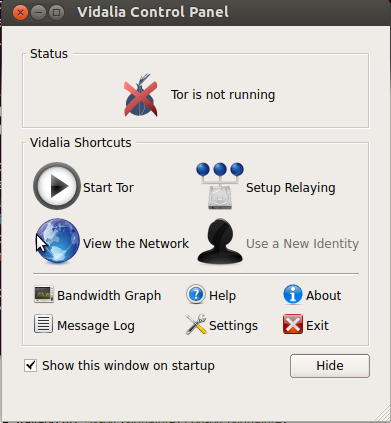
This will launch Vidalia and once that connects to Tor, it will launch Firefox. Do not unpack or run TBB as root.
Screenshots

sorry, but that’s not installing but just running the software. I want to know how to install into the system, so i can run it from the luncher just typing `tor-browser`
This description doesn’t suggest WHERE we should logically put the Tor Browser Bundle on Ubunto.
Should it go in any of these in the $PATH ?
/usr/local/sbin
/usr/local/bin
/usr/sbin
/usr/bin
/sbin
/bin
Joseph : TorProject advises against “installing” the bundle as “root” (administrator), because of security issues. As it seems you need Root permissions to extract the TOR bundle to any of the directories you listed (I tried /usr/local/bin and others), the best place to extract is probably your Home directory. Also, see below.
wx : good question. Torproject says there’s no need to install. It’s true it works without installing. You can always make a shortcut. Actually, the file “tor-browser-setup” is a short script, which main purpose seems to be to specify its PATH itself.
Also, it seems there are 3 ways to get the right TOR archive or package. Ubuntu repositories, tor project main download page, or the hard way, at https://www.torproject.org/docs/debian (includes ubuntu). You have to add torproject to your repositories list.
Unlike torproject,org, launchpad is not blocked in China, so
http://ppa.launchpad.net/webupd8team/tor-browser/ubuntu xenial main
is a good place to get tor.
Re-install on new laptop after older desktop flamed out!