

Sponsored Link
To launch Synaptic, choose System > Administration > Synaptic Package Manager
Now you need to select Settings -> Repositories.

Select Ubuntu Software tab In the Download From drop down, choose Other...

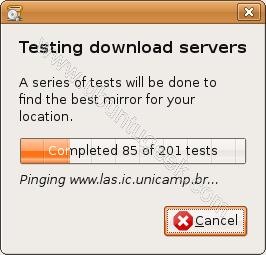
Click the Select Best Server button in the resulting dialog.Wait a minute (or perhaps more on a slow connection).

Testing best server is in progress
Once it's finished,click on choose server
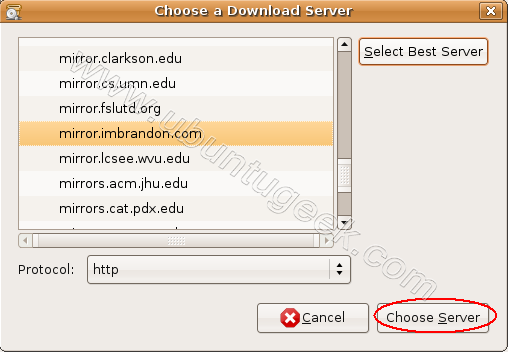
close everything and click Reload in the main Synaptic window.

Downloading package information in progress from your new mirror
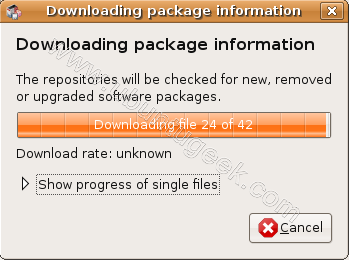
This simple procedure picks the best mirror for you. This works for me very well so i would suggest you try this and see if it works for you or not.
If you have any other method which worked for you please let us know.
Absolutely chuffed, great advice, thank you.
Great, i like it.
works great for india
is there a way to do this from command line i am using ubuntu minimal setup
Hi I have a problem becuase I get the message: no suitable download server was found,,,, check your internet conection. but my conection is fine what can be wrong? thank you
I have the same problem with the “no suitable download server was found…” I can browse the web, get the updates (sudo apt-get update) but can’t click on “Select Best Server” or install anything trough the app center.
thanks. very useful.
man, incredible advise. finally I can donwload my upgrade at max spèed.
thanks for writing this article. for the curious, the steps above, at least as of ubuntu 10.04, will update not just your synaptic configuration but also your apt-get and aptitude configuration as well, so fear not if you don’t otherwise use synaptic–this will still work for you!
it also leaves you in a freshly ‘aptitude update’-d state, so you are ready to run ‘aptitude safe-upgrade’ after you run through the above steps.
Thanks a lot,
This works like a charm for me and my friend!
Cheers
man you rock! this helped me ! woooh!
thanks dude!
I live in the USA; this selected a server in New Zealand…
Hey, amazing turnaround! My usual updates with all the extra ppas I have took somewhere between a minute to two minutes. Now it’s just blazing at 15s-20s. I always wanted to know how to select the best mirror and I’m glad I found your page. To the previous poster Mike, it selects by pinging all the mirrors. Maybe the servers geographically near you were strained and couldn’t produce a ‘normal’ ping. If in doubt, retest the servers, test and repeat until you find the BEST one available.
I was on the point of de-installing Ubuntu for the simple reason that I was sick of those ridiculously slow updates: whenever I booted up my laptop and saw that there were updates waiting to be installed, I used to feel like throwing the thing out of the window, because I knew it would mean that I would get no work done for the next couple of hours while the package files drip-drip-dripped onto my hard drive.
And now… well, it’s still pretty slow to be honest: 246 kB/s on a 100 MB/s connection. But that’s WAY better than before. So thank you because I am no longer on the point of giving up on Ubuntu.
I wonder if there’s a way to set up Synaptic to do this automatically before it downloads anything? After all, the “best” mirror is going to vary over time.
Anyway, even if that’s not possible, it’s not hard to follow the simple advice on this page, so thanks again.
Thanks for share.
Works amazing with me too.
local Server Indonesia
Thankyou Man!!!!!…. it works great…. Speed rokxxxxx… my download speed is now 125 kb/s that was 40 kb/s before only…
TKS a mill!
Just a pain with linux, why can’t ubuntu do it by default ? I know yum select fastest mirror if you have defined, this definitioin should come from ubuntu, was pain today for me when I tried to checkout the desktop ubuntu and update .. with 100mbps speed it was downloading in lb’s from US..
Thanks for this solution !
May ALLAH bless you! Ameen!!
Thanksssssssssssssss to u
Thanks for advice.
Thanks a lot.. It worked for me!