

Sponsored Link
First you need to edit the /etc/apt/sources.list file
sudo gedit /etc/apt/sources.list
Add one of the following
For ubuntu 9.10 (armic) Users add the following two lines
deb http://ppa.launchpad.net/chromium-daily/ppa/ubuntu karmic main
deb-src http://ppa.launchpad.net/chromium-daily/ppa/ubuntu karmic main
For ubuntu 9.04 (Jaunty) Users add the following two lines
deb http://ppa.launchpad.net/chromium-daily/ppa/ubuntu jaunty main
deb-src http://ppa.launchpad.net/chromium-daily/ppa/ubuntu jaunty main
For ubuntu 8.10 (Intrepid) Users add the following two lines
deb http://ppa.launchpad.net/chromium-daily/ppa/ubuntu intrepid main
deb-src http://ppa.launchpad.net/chromium-daily/ppa/ubuntu intrepid main
Save and exit the file
Now add the GPG key using the following command
sudo apt-key adv
--recv-keys--keyserver keyserver.ubuntu.com 0xfbef0d696de1c72ba5a835fe5a9bf3bb4e5e17b5
Update the source list using the following command
sudo apt-get update
Install chromium using the following command
sudo apt-get install chromium-browser
Using Chromium
You can open chromium from Applications--->Internet--->Chromium Web Browser
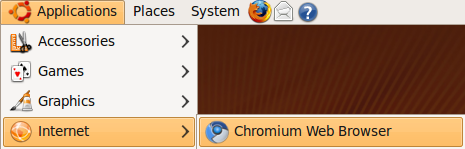
Once it opens you should see similar to the following screen

Chromium in action

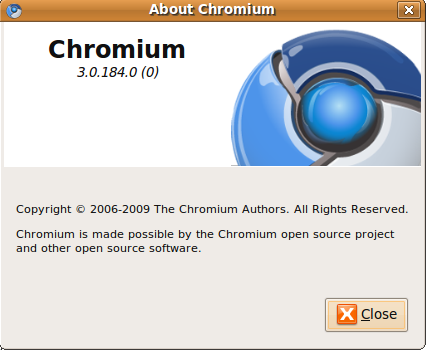
Chromium version details
I sent you this as an email, but it may have been messed up in the sending. I rewrote a chunk of it after I realized it did not work unless it was executed as root:
Script to install Google Chrome:
http://www.mediafire.com/file/tjrj02why0y/chrome.sh
Thanks for the instructions – worked perfectly on my Karmic x64 box! Copy, paste, Chromium 🙂
Thanks, im looking for this right now.. 🙂
Thanks you for this useful post.
Is the source of this browser is provided as open source with the release of ChromeOS?
excellent….
i only used :
$ sudo apt-key adv –recv-keys –keyserver keyserver.ubuntu.com 0xfbef0d696de1c72ba5a835fe5a9bf3bb4e5e17b5
and
$ sudo apt-get install chromium
in terminal.
and good work.
thank’s for sharing.
Thanks a lot for the instructions…. was exactly what i was looking for…
Worked perfectly for me!
I followed your instructions on Karmic for netbooks, on the last input this happened:
sudo apt-get install chromium-browser
Reading package lists… Done
Building dependency tree
Reading state information… Done
E: Couldn’t find package chromium-browser
What?
yes, this works !!!!!!!!!!!!!!!!
Hi,
if you typed
$sudo apt-get install chromium
you will be installing a nice game called chromium but the right command is
$sudo apt-get install chromium-browser
Thank you.
Hi, hahaha Mahmoud .. i got the game trying to install that browser … jajaja
…. for those still looking for it to work like Gaffle.
i downloaded the package from http://chrome.google.com
and then applied steps
For ubuntu 8.10 (Intrepid) Users add the following two lines
deb http://ppa.launchpad.net/chromium-daily/ppa/ubuntu intrepid main
deb-src http://ppa.launchpad.net/chromium-daily/ppa/ubuntu intrepid main
Save and exit the file
Now add the GPG key using the following command
sudo apt-key adv –recv-keys –keyserver keyserver.ubuntu.com 0xfbef0d696de1c72ba5a835fe5a9bf3bb4e5e17b5
then just used the package manager from my ubuntu 8.10 OS and worked!! wohooo!!!
not working for my ubuntu 9.04
gksudo gedit would be more appropriate.
Thanks for the tutorial now i can browse using chromium.
I put the article on my blog… thx
Ok jeff, like you are trying to encourage newbies to install an unknown package from an unknown site as root, it’s against my principles too 🙂
anyway its fun to tinker around…
ubantu 10.10
Clicked download button from google.com
Then clicked Install button on Ubantu Software installation button.
Everything worked within a minute.
Thanks for posting, its a huge information, i am using Ubuntu OS