

Sponsored Link
Install Diffuse in Ubuntu
If you want to install latest version if diffuse use this procedure
Download .deb package from here now install this .deb package by double clicking on it or run the following command from your terminal
sudo dpkg -i diffuse_0.4.2-1_all.deb
Command line examples
Compare a Set of Files
$ diffuse file1 file2 file3
Review Local Changes or Fix Merge Conflicts
$ diffuse -m
Compare Specific Revisions
$ diffuse -r rev1 -r rev2 file
Inspect a Revision
$ diffuse -c rev file
Screenshot
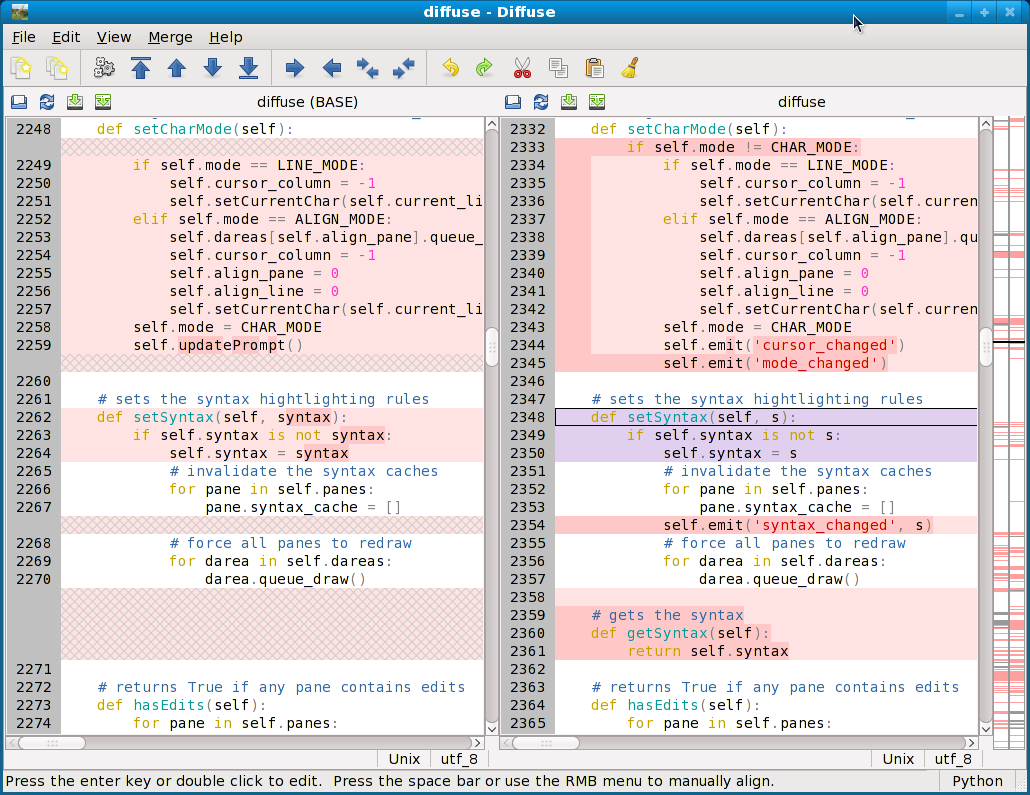
So have you ever used Meld? I’ve always really liked meld and sourcegear’s diffmerge is acceptable too. This looks like it may be as good or better than diffmerge based on what little I can glean from the screenshot…
~BTH
How does this compare to Meld?
Have a look at the Meld Diff Viewer, it looks way better
looks promising, but it’s already in the repositories I guess “sudo apt-get install diffuse”, not the latest version there though.
+1 for meld, graphical view is more user friendly and merging is fast as a click. I use it everyday, and it can compares entire folders too !
looks promising, but it’s already in the repositories I guess “sudo apt-get install diffuse”, not the latest version there though.
— Am a Lucid Lynx Beta 2 user.
— far far better than Windows in GUI and boot time.
— No virus or a trojan or a worm cud dream of exploring our PC’s.
— But we could not access all sorts of GAMES possible in Windows,in Ubuntu.Is that possible?If yes how?
— Or cud v install the game in Windows and access[play] it on Linux ? Plz help me out
” Promising techies “…
can be found here
http://diffuse.sourceforge.net/download.html