

Sponsored Link
Install Firestarter in Ubuntu
If you want to install firestarter firewall run the following commannd
sudo apt-get instal firestarter
This will complete the installation
If you want to open fire starter go to System--->Administration--->Firestarter

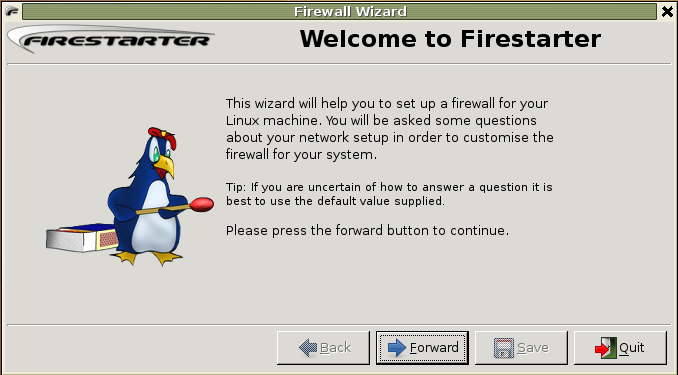
For the first time you should see the following screen and click on forward
Select Network Device setup and click on forward

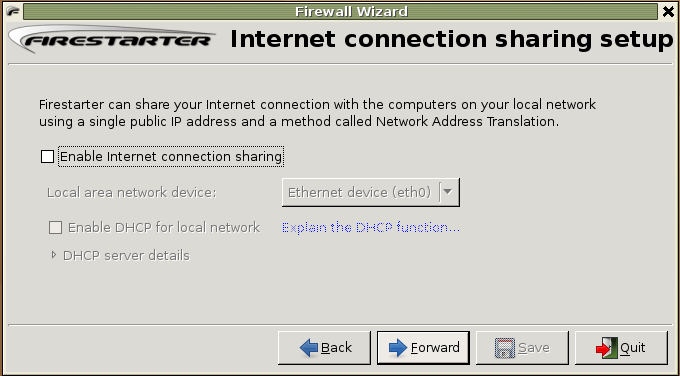
Select if you have any internet connection sharing and click on forward
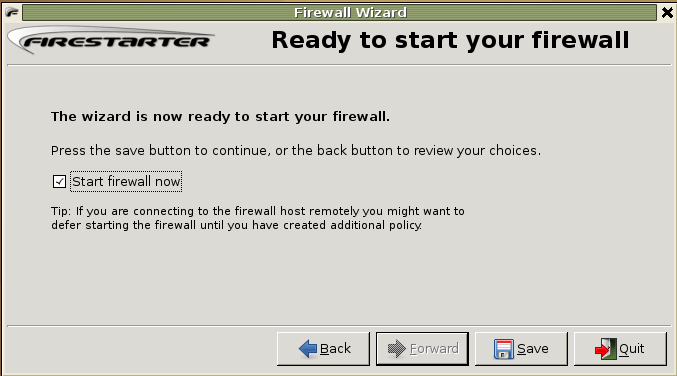
Here you need to click on check box next to start firewall now and click on save
Now you should see the firestarter GUI like below

Every time firestarter starting GUI it will prompt for root password may be this is bit difficult for this you can do the following steps to avoid password.
export EDITOR=gedit && sudo visudo
Now you need to add the following line in /etc/sudoers file
%ruchi ALL= NOPASSWD: /usr/sbin/firestarter
Replace %ruchi by your the name of the user or the group which can use sudo and do the modification.
Now you can test this using the following procedure
sudo -- K
sudo /usr/sbin/firestarter
When it try to open it should not prompt for password
Finally you need to add firestarter to startup programs list from system---> Preferences--->Sessions you should see the following screen in this you need to click on startup programs and click on add you should see a popup box prompting for startup command in this you need to enter the following command and click ok two times.
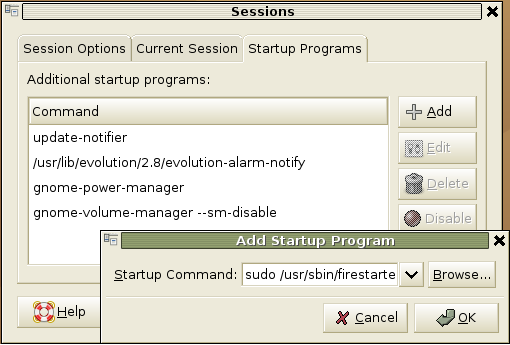
sudo /usr/sbin/firestarter
Working with Firewall Policy
Firestarted is having default policy does the following
New inbound connections from the Internet to the firewall or client hosts are blocked.
The firewall host is freely allowed to establish new connections.
All client hosts are allowed to establish new connections to the Internet, but not to the firewall host.
Traffic from the Internet in response to connection requests from the firewall or client hosts is allowed back in through the firewall.
This policy allows normal Internet usage such as web browsing and e-mail on the secured hosts, but blocks any attempts to access network services from the outside and shields the local network.
Creating your own Policy
Before Creating new policy you need to know inbound and outbound policy
Inbound policy
All inbound network traffic that is not in response to a connection established by a secured host is always denied. User created inbound policy is therefore permissive by nature and consist of criteria that when met lift the restrictions on the creation of new incoming connections. Changes to inbound policy are made on the inbound policy section of the policy page in Firestarter.
Outbound policy
The purpose of outbound traffic policy is to specify the types of network traffic that are allowed out from the secured network to the Internet. Firestarter has two modes of operation when it comes to implementing outbound policy, a permissive (which is the default) and a restrictive mode.
If you wan to create new policy you need to click on policy tab in this you need to make sure which policy you want in editing selection (inbound or outbound) in this example i have selected inbound traffic policy after that from the top menu click on policy and click on add you should see this in the following screen

Now it will popup a box asking for allow coonections from ip,host or network,enter the comment and click on add

The same way you need to add the outbound traffic policy you can see this in the following screen

Firestarter version details
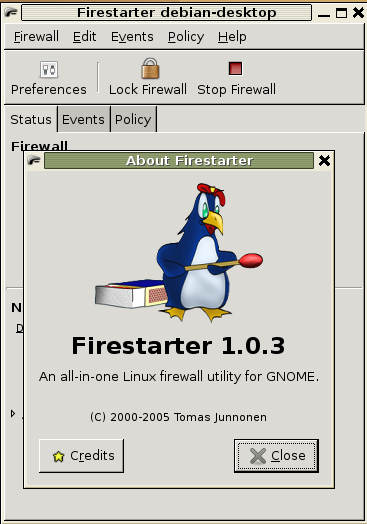
I’ve search all over the ubuntu forums and search engines for the way to start firestarter at boot, all with identical instructions, but right after editing the /etc/sudoers file, and testing it, I get this message in the terminal:
Xlib: connection to “:0.0” refused by server
Xlib: No protocol specified
(firestarter:5803): Gtk-WARNING **: cannot open display:
the numbers after “firestarter:” change at random when trying it again, still I don’t know what that means. Any ideas to get this working?
I’m using ubuntu edgy and firestarter 1.0.3
are you trying to run this program as normal user or root
sometimes if you are trying to run as root you will get this error.
I was trying as root. Just tried to run it as normal user, without the sudo, and now a popup tells me I must have administrative privileges…
Another question is, can I make firestarter run at boot for all users of my pc, even if they’re not in the admin group?
All hints and ideas appreciated.
From my understanding firestarter should start up as a service no?
BTW, Admin, I think you are running a fantastic site!
Keep up the good work. =)
Try this as your session command:
gksu /usr/sbin/firestarteri tried doing this:
export EDITOR=gedit && sudo visudo
Now you need to add the following line in /etc/sudoers file
%ruchi ALL= NOPASSWD: /usr/sbin/firestarter
Replace %ruchi by your the name of the user or the group which can use sudo and do the modification.
Now you can test this using the following procedure
sudo - K
sudo /usr/sbin/firestarter
When it try to open it should not prompt for password
but i’m still prompted for the password.
Xlib: connection to “:0.0” refused by server
Xlib: No protocol specified
(firestarter:24387): Gtk-WARNING **: cannot open display:
There seems to be a bug in /etc/sudoers. Use this link, it worked for me.
http://www.howtoadvice.com/AutoFirestarter/
I hope the following might be of interest:
I just installed feisty on a box, installed firestarter, ran the gui and added some stuff to be blocked etc and I clicked the “ip address is assigned via dhcp”. The firewall works fine until I reboot – after reboot there is no protection at all.
Now, it seems like firestarter created a file
/etc/dhclient-exit-hooks
just containing just the line
sh /etc/init.d/firestarter start
However, it seems like ubuntu is configured to look for this file in /etc/dhcp3 (I’m not quite sure about this) *or* to look for executables in /etc/dhcp3/dhclient-exit-hooks.d/ (I think it will run them all after dhclient obtains an ip.)
Anyway, here is a FIX to get a persistent (firestarter configured) firewall to be activated after reboot (i.e., when getting ip via dhcp):
Rename
/etc/dhclient-exit-hooks
to
/etc/dhcp3/dhclient-exit-hooks.d/firestarter
and then make it executable (using chmod +x).
Is this is a bug in ubuntu?
try doing this:
export EDITOR=gedit && sudo visudo
Now you need to add the following line in /etc/sudoers file
#ruchi ALL= NOPASSWD: /usr/sbin/firestarter
Replace “ruchi” by your the name of the user or the group which can use sudo and do the modification.
Now you can test this using the following procedure
sudo – K
gksu /usr/sbin/firestarter
When it try to open it should not prompt for password
but i’m still prompted for the password.
(this worked for me)
Firestarter won’t start when I use a ppp0 to GPRS connection, which is my only alternative here in the Andes mountains. I am not happy with an open connection and no firewall.
Errmsg: “Failed to start the firewall
The device ppp0 os not ready.”
Does Firestarter use netmanager, which has a known bu re. ppp0?
Is there a work-around?
I should have added that the following simple script:
fileName=$(ifconfig -v ppp0 |grep “inet addr” |cut -d: -f 2 |cut -c 1-15 )
touch /home/zapper/Desktop/$fileName
adds a file named by my ip-address to the desktop on UBUNTU 8.0.4.
For one if this Firewall is going to be supported or used in Ubuntu than it should be configured to auto start with boot in the installation of Firestarter.
Relating all to users in previous posts and than having new users reading the posts will do nothing but totally confuse them. Even Linux operating systems need a firewall but having a firewall which requires a user to start it each time they boot or reboot is inane. I use both openSUSE and Ubuntu and openSUSE installs a firewall on installation of the operating system so why cannot Ubuntu do this? What good is Firestarter if it does not install with a auto start up at boot??