

Sponsored Link
First you need to install font manager
Download font manager using the following command from your terminal or from here
wget http://code.google.com/p/font-manager/downloads/detail?name=font-manager_0.5.3_i386.deb
Install fontmanager .deb file using the following command
sudo dpkg -i font-manager_0.5.3_i386.deb
Install Ubuntu control center in Ubuntu
First you need to download .deb package from here
Now install .deb package using the following command
sudo dpkg -i ucc_i386.deb
Screenshots


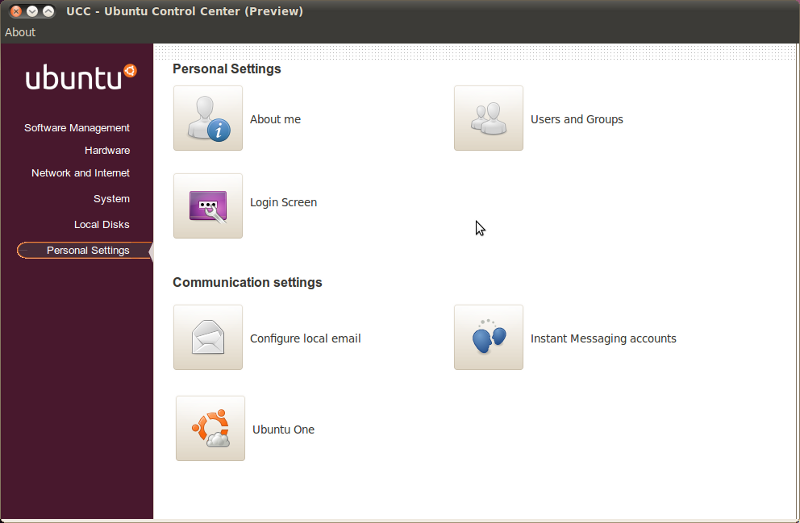
Article source from here and screenshots credit goes here
@Steve, the screenshots are taken from a lucid fresh install. There were related problems with it on Maverick builds and with RGBA transparency enabled.
I tried to install UCC on Ubuntu NR 10.04.
After it’s done, the main UCC window keep on top.
I can not access to another program.
So I remove the UCC from Ubuntu Netbok Remix.
Advice??
I installed the .deb for the Font manager manually, but it needs another dependancy called jstest-gtk. I can’t seem to find that anywhere, and the website that hosts it doesn’t have it.
Matt i found a copy of jstest-gtk here http://mirrors.fe.up.pt/pub/getdeb/ubuntu/pool/apps/j/jstest-gtk/
HALLO!
I am using ubuntu 9.10 but I am not capable of having internet acess for atleast 30 minutes,pleASE can
you send to me a free package installation CD so as I can install the packages manually?
Why doesn’t someone just give more information on HOW TO install font-manager. This seems to be everyone’s problem. Like a complete list of commands need to install it from the terminal.
@Dustin Thanks, i was having problems with that.