

Sponsored Link
Install BleachBit in Ubuntu
Download the .deb package from here or use the following command
wget http://downloads.sourceforge.net/bleachbit/bleachbit_0.2.0-1_all_ubuntu810.deb
Now you have bleachbit_0.2.0-1_all_ubuntu810.deb package.Install this .deb package using the following command
sudo dpkg -i bleachbit_0.2.0-1_all_ubuntu810.deb
This will complete the installation.
or
You download this .deb file in your desktop and double click to install.
Using BleachBit
If you want to open go to Applications--->Accessories--->BleachBit

Once you open first time you should see similar to the following screen click yes

Now you can see BleachBit screen as follows
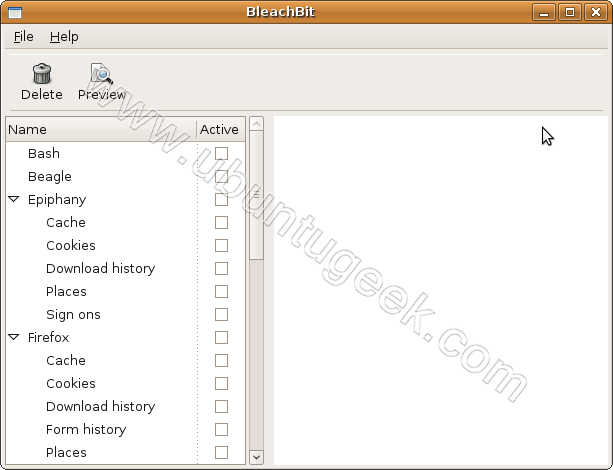
Now you need to select which files you want to clean from left hand menu

Confirm your delection

Your selected files deleted

You could do: sudo apt-get install bleachbit 0.8.8 at the command prompt..